May – June 2026 – What’s New
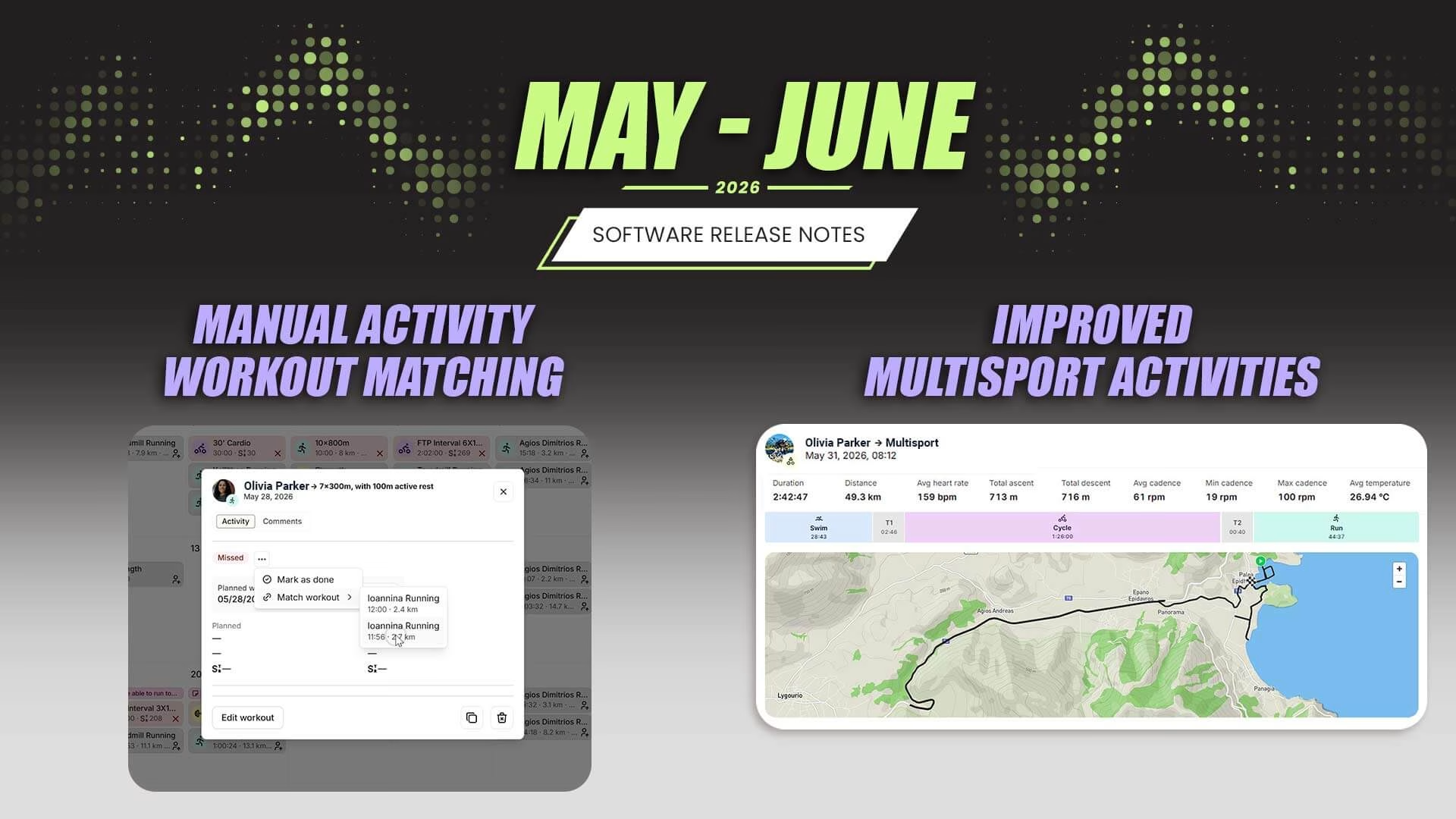
Every month, EndoGusto gets a little faster, a little smarter, and a little easier to coach with. May brought improvements across the platform, but three updates stand out for the impact they’ll have on day-to-day coaching.
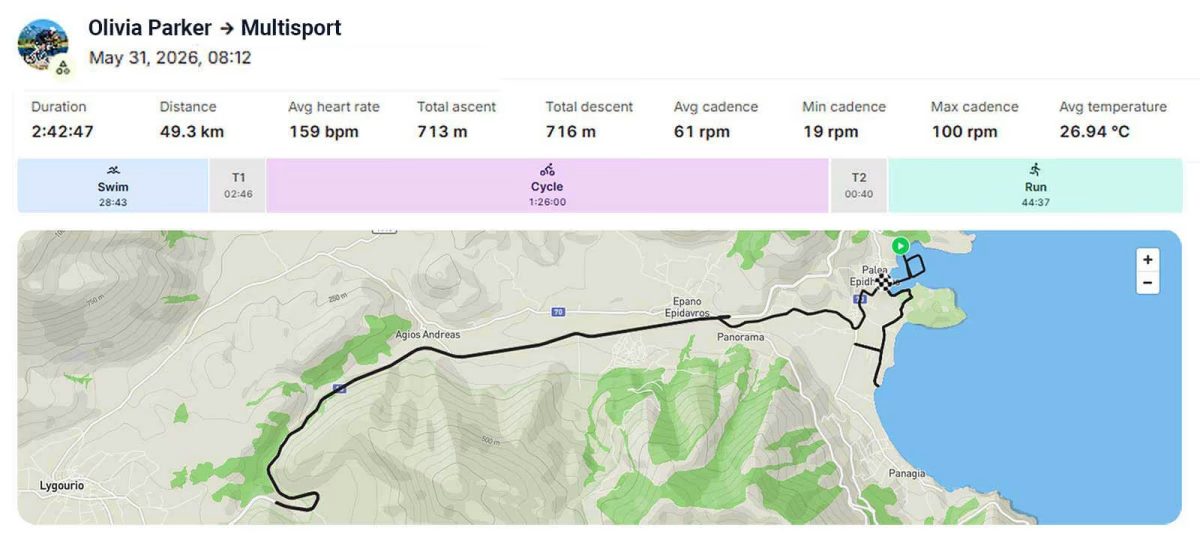
Multisport Activities, Done Right
If you coach triathletes, you know the frustration. A multisport session uploads as one big block, or worse, as 5 different activities.
We’ve solved that frustration at EndoGusto. We now support full multisport activities with per-segment data on the analysis page. Swim, bike, run, and transitions are each broken out with their own metrics. No more stitching things together manually. And if the same session also comes through as separate Strava leg activities, we suppress the duplicates automatically so the feed stays clean.
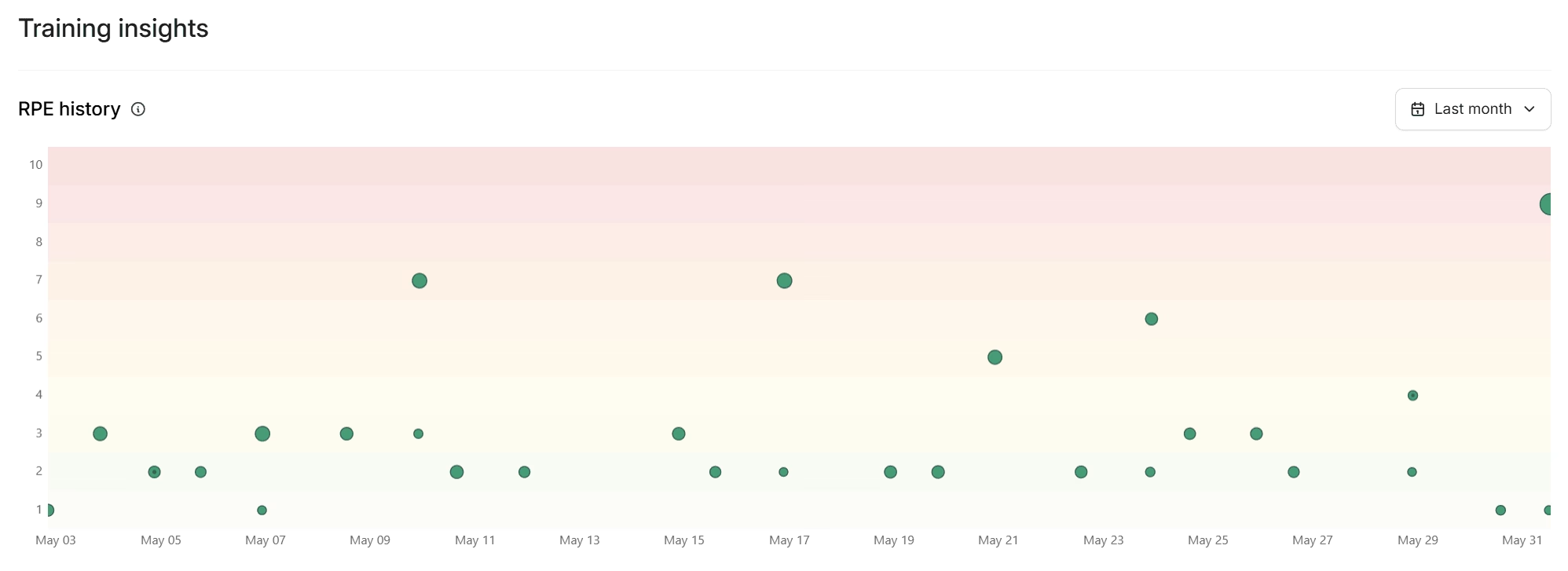
RPE History in Training Insights
Perceived effort is one of those data points that gets recorded after every session but rarely looked at over time. A single RPE value on a single workout doesn’t tell you much. Viewed over time, RPE becomes one of the clearest indicators of how an athlete is responding to training.
The new RPE history scatter chart in Training Insights plots reported effort across sessions, giving you a visual read on how an athlete’s perception of load is trending. It’s the kind of pattern that pace and power alone don’t always surface, especially during heavy training blocks or when fatigue is building quietly.
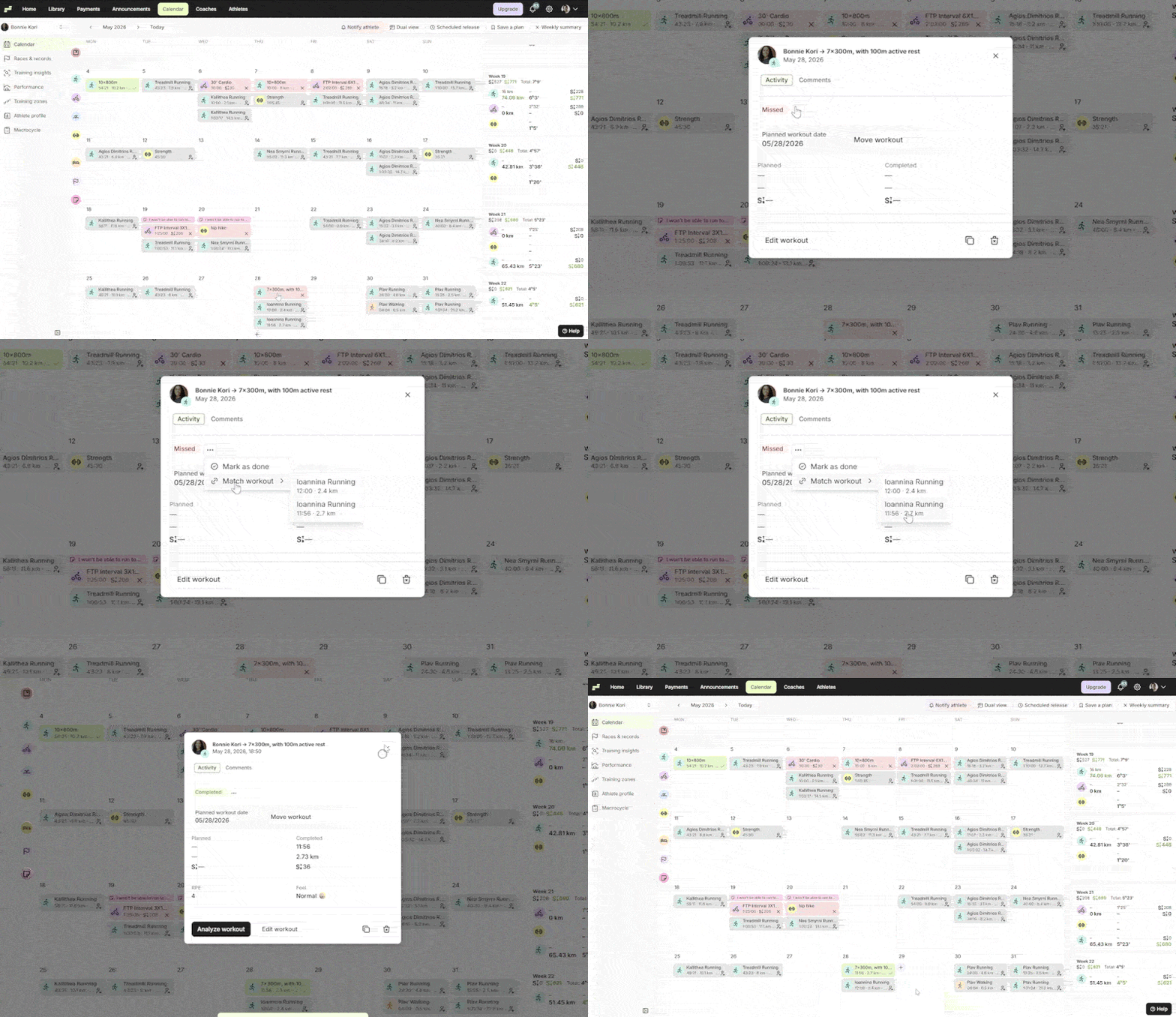
Manual Activity-Workout Matching
Automatic matching handles most sessions correctly. But athletes with irregular schedules, or those who train without a connected tracker, sometimes end up with activities sitting unmatched on the calendar. That throws off compliance tracking and makes the weekly view harder to read at a glance.
You can now match an assigned workout to an uploaded activity manually. Select the workout, pick the activity, done. Clean records, accurate completion data.
What Else Shipped
Beyond these headline updates, May’s full release includes Custom Zones enhancements, Wahoo workout sync, workout completed notifications, a redesigned duration input, library workflow improvements, and a long list of fixes and performance upgrades across the platform.
Check out the full release notes on our website for all the small things we’re doing to make a big difference in your daily workflow.
Coming Up: The New Stress Algorithm
We’ve been working on a discipline-specific stress formula that accounts for the fact that an hour of swimming, an hour of cycling, and an hour of running don’t load the body the same way. The research and expert validation work is progressing well, and we’ll have more to share soon. We’re excited about the potential of this work, and we’re taking the time to validate it properly before rolling it out.
Full Changelog
New
- Custom Zones V1 — Coaches and athletes can now build and edit their own zone models. Set per-method percentage bounds for each zone. Zone defaults continue to work as a starting point.
- Per-Method Zone Bounds — Zone boundary percentages are now configurable per training method, giving coaches precise control over how each model is shaped.
- Multisport Activity Support — Multisport sessions now display per-segment data on the activity page. Each discipline is broken out with its own metrics. Strava leg activities are suppressed when a native multisport record exists.
- Manual Activity-Workout Matching — Athletes and coaches can manually match an activity to a planned workout directly from the calendar.
- Workout Completed Notifications — Coaches receive a notification when an athlete completes a workout.
- Wahoo Workout Sync — Connect Wahoo and push planned workouts directly to your Wahoo head unit.
- RPE History Scatter Chart — Training Insights now includes a scatter chart showing an athlete’s reported RPE across sessions over time.
- Redesigned Duration Input — The duration field across the platform uses a new smart time-entry input: type naturally and the format resolves correctly.
- Library: Assign/Remove Athletes from Plan Menu — Assign or remove athletes from a plan directly from the plan menu in the library, without navigating away.
- Library: ‘View Calendar’ Shortcut — After assigning a plan to an athlete, a toast notification now includes a direct link to that athlete’s calendar.
- Library: Clickable Plan and Workout Cards — Plan and workout cards in the library are now fully clickable.
- Collapsible Athlete-Page Sidenav — The athlete page sidebar can now be collapsed to give the main content area more room.
- Edit Owner Job Title — Admins can now edit the owner’s job title directly from the admin center.
Improved
- Performance Charts — Charts across Training Insights and the performance views have been migrated from Recharts to uPlot. Rendering is significantly faster and smoother on large date ranges and on mobile.
- Workout Builder Drag-and-Drop — Drag-and-drop UX in the Workout Builder has been overhauled. Moving steps and repeat groups is more responsive and reliable.
- Workout Builder Visuals — Step panel colors and repeat-group colors in the Workout Builder have been refreshed for better visual clarity.
- Cadence Display — Cadence is now displayed per-sport where relevant, rather than as a single figure.
- API Responses — Author and athlete information is now inlined directly in API responses, reducing the number of round trips the client needs to make.
- Today Line on Calendar — The ‘Today’ line on the calendar renders correctly across date gaps by using a proper time-scale x-axis.
- PWA Updates — The app now checks for service-worker updates on open and when returning from background, so coaches on mobile see fresh content without manual refreshes.
- Tracker Sync Reliability — Bulk connection preloading, cached queries, and a dispatch table refactor across the tracker sync system. Faster, more reliable connections for Strava, Garmin, Wahoo, and others.
Fixed
- Pace Bucketing — Pace zone bucketing has been realigned on a linear speed-percentage scale.
- Strength Workouts — Stale zone-model warnings no longer fire on strength workouts, where zone models don’t apply.
- Time-in-Zones Split — Time-in-zones is now correctly split by zone model lineage, so athletes who have changed zone models over time see accurate historical splits.
- Macrocycle Zone Time — Macrocycle zone time calculations are now based on non-strength hours only.
- Workout Builder: Stress Estimate — Stress estimates in the Workout Builder now calculate correctly on partial form state, not just when the form is fully filled.
- Workout Builder: Metric Normalization — Pace fixed-values and elevation are now correctly normalized to metric units on save.
- Workout Builder: Zone Bounds — The maximum zone value now bumps up automatically when the minimum is set above it, preventing invalid zone ranges.
- Workout Builder: Threshold Hint — The missing-threshold hint is now hidden correctly outside an athlete context, where it isn’t relevant.
- Payments — Payment lookups now resolve through the payment record itself rather than the requester, fixing an edge case where the wrong business context was used.
- Wahoo Plan Files — Wahoo sync now always includes a description in the plan file header, resolving a validation issue with some device configurations.
- Tracker Reconnects — Reconnecting a tracker now re-lists all connections correctly on every connect.
- Record Notifications — Notifications are only sent for personal records that are actually surfaced in the UI.
- Strava Race Import — Race imports from Strava no longer fail on duplicate records. A unique index and conflict handler resolve the edge case cleanly.
- Cross-Business Athlete Re-Add — Athletes are now correctly auto-reset when re-added across different businesses.
- Calendar Dialog Scoping — Dual-calendar dialog state is now scoped per instance, preventing one dialog from affecting another.
- Mobile Training Insights — Fixed an overflow layout issue in Training Insights on mobile that was cutting off charts.
Under the Hood
Infrastructure work that keeps things running smoothly.
- Backend Refactor — Nearly every domain has been migrated to a package-by-feature structure. Easier to navigate, easier to test, and a better foundation for what’s being built next.
- Frontend Base UI Migration — All remaining Radix UI components have been replaced with the in-house Base UI system. Dialogs, popovers, selects, menus, and comboboxes are fully migrated. Radix is out of the dependency tree.
- Payments Migration — Payments are now fully handled in minor units with centralized currency logic. No more conversion inconsistencies across different parts of the stack.
- Zero-Downtime Deploys — Docker-rollout and SSE drain-on-shutdown mean deployments no longer interrupt active connections.
- Performance Metrics Pipeline — Debounced recalculation pipeline reduces redundant recomputation when multiple changes happen in quick succession.