Coaching
Save time while keeping the quality in your coaching with extensive features that allow you to monitor and analyze performance, personalize training plans and keep connected with your athletes.
Step Up Your Coaching Game. Try EndoGusto for 30 days
Performance Analytics
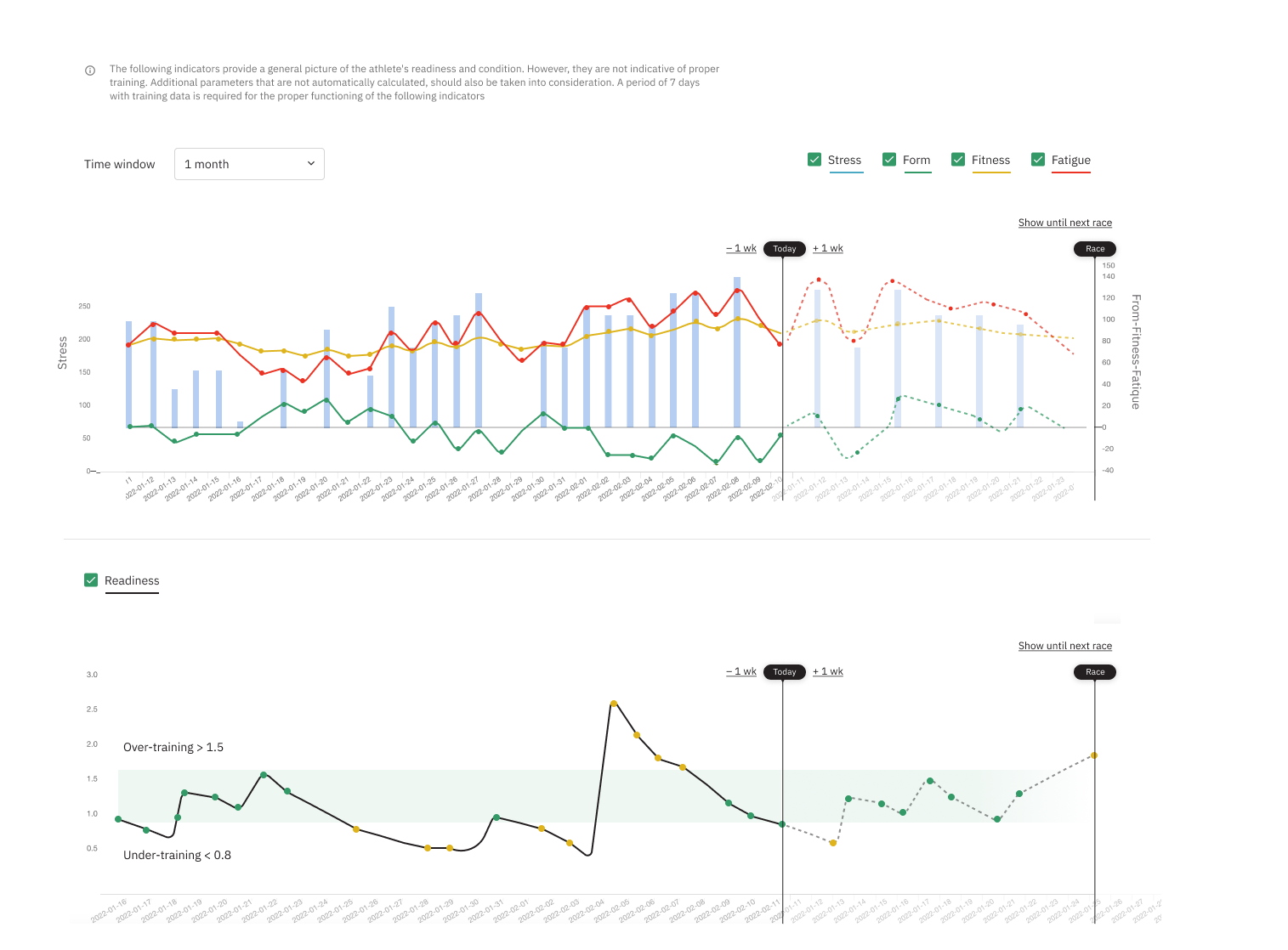
Expected FFF and Performance graphs
Form-Fitness-Fatigue (FFF) graphs and readiness graphs based on scientific algorithms help to visualize and predict future performance to make adjustments to the training as necessary.
Detailed Training Insights
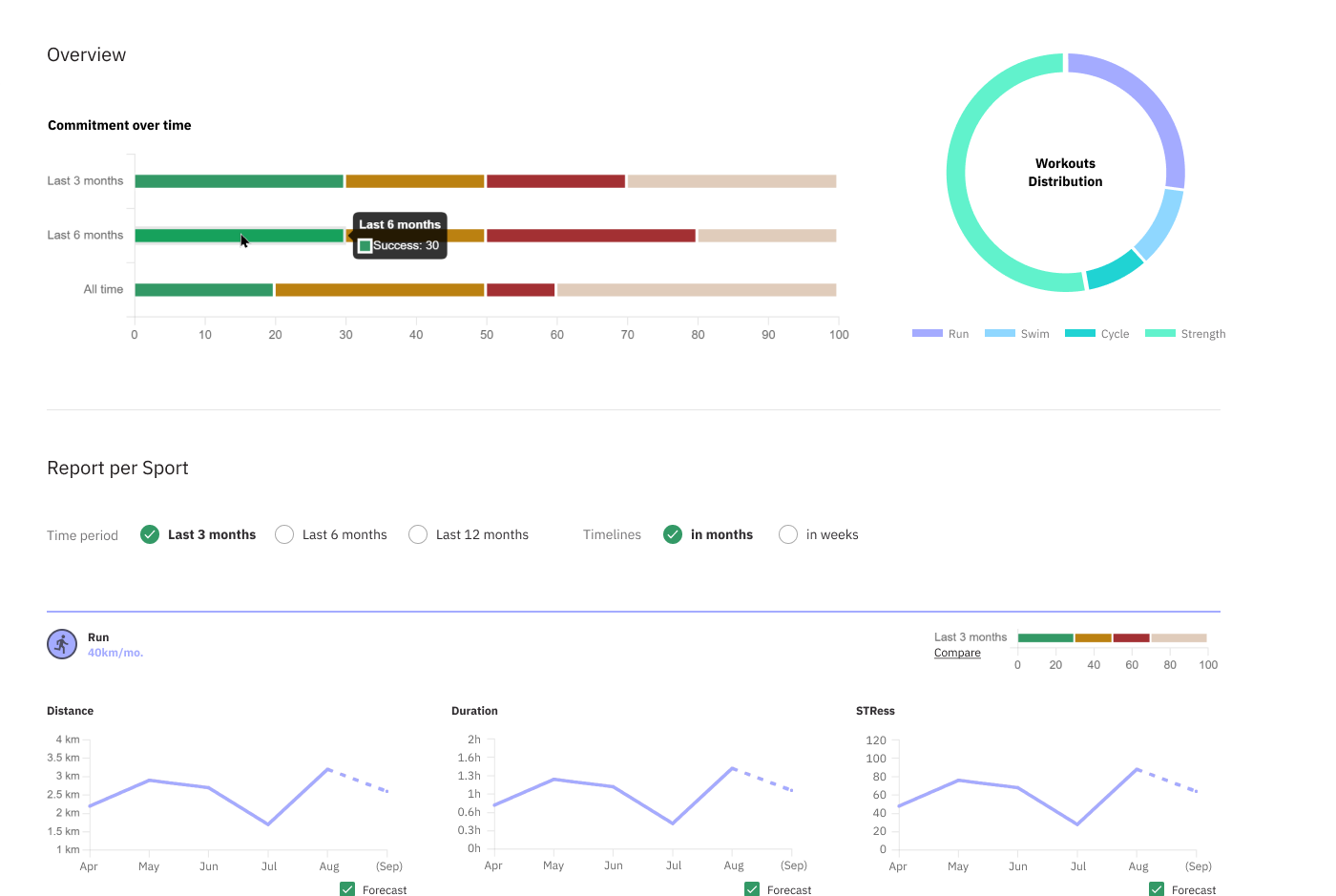
Choose 3, 6, or 12 months of data in one view and per sport. No more tedious spreadsheets to keep track of.
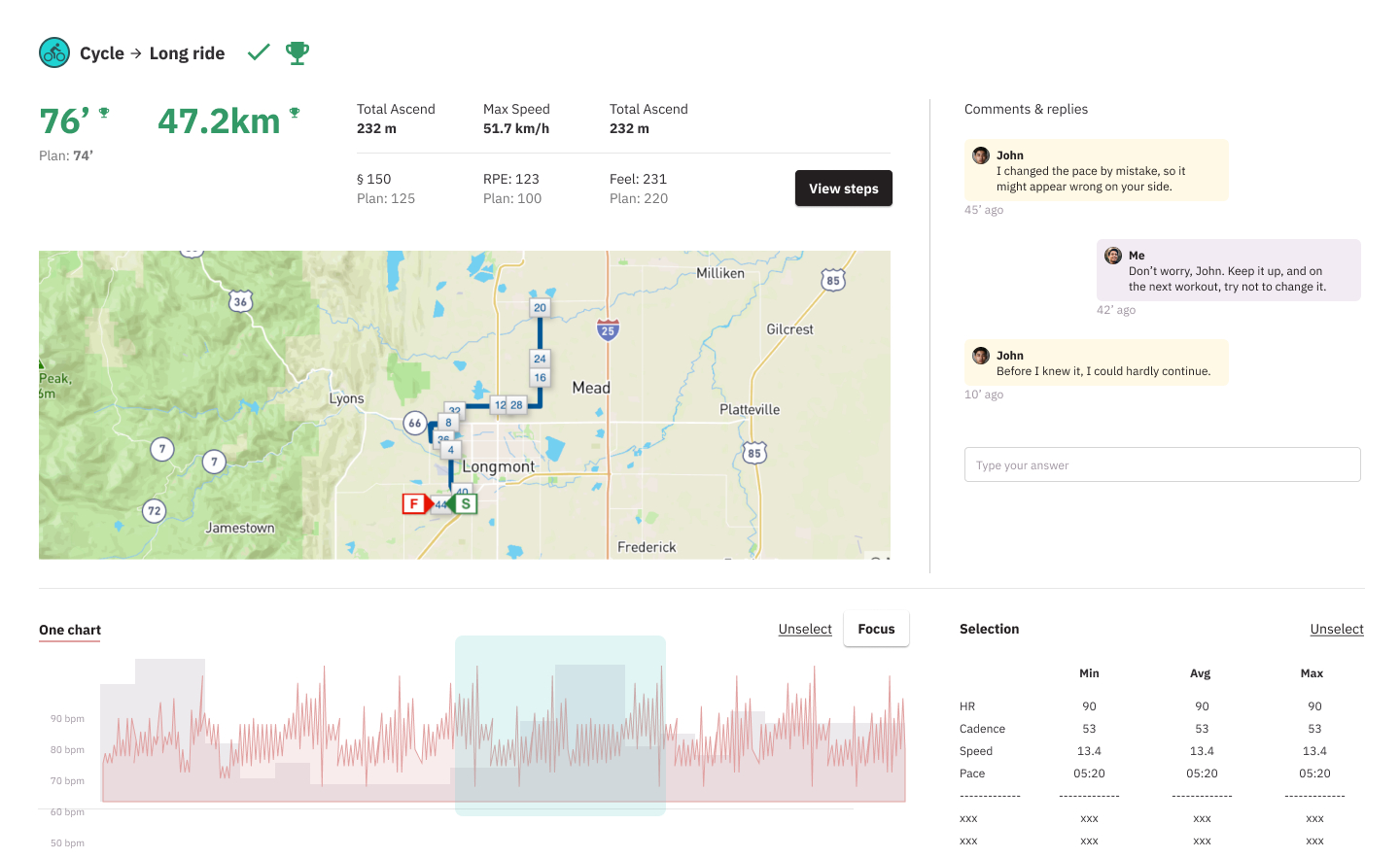
Analytics for individual workouts
After each workout see detailed graphs including, pace, HR, laps, elevation, power, etc.
Auto-updates of key metrics
As your athletes improve, FTP, lactate thresholds, and T-Pace metrics are automatically updated.
Let’s take your clients to the next level together.
Step Up Your Coaching Game
Workout Library
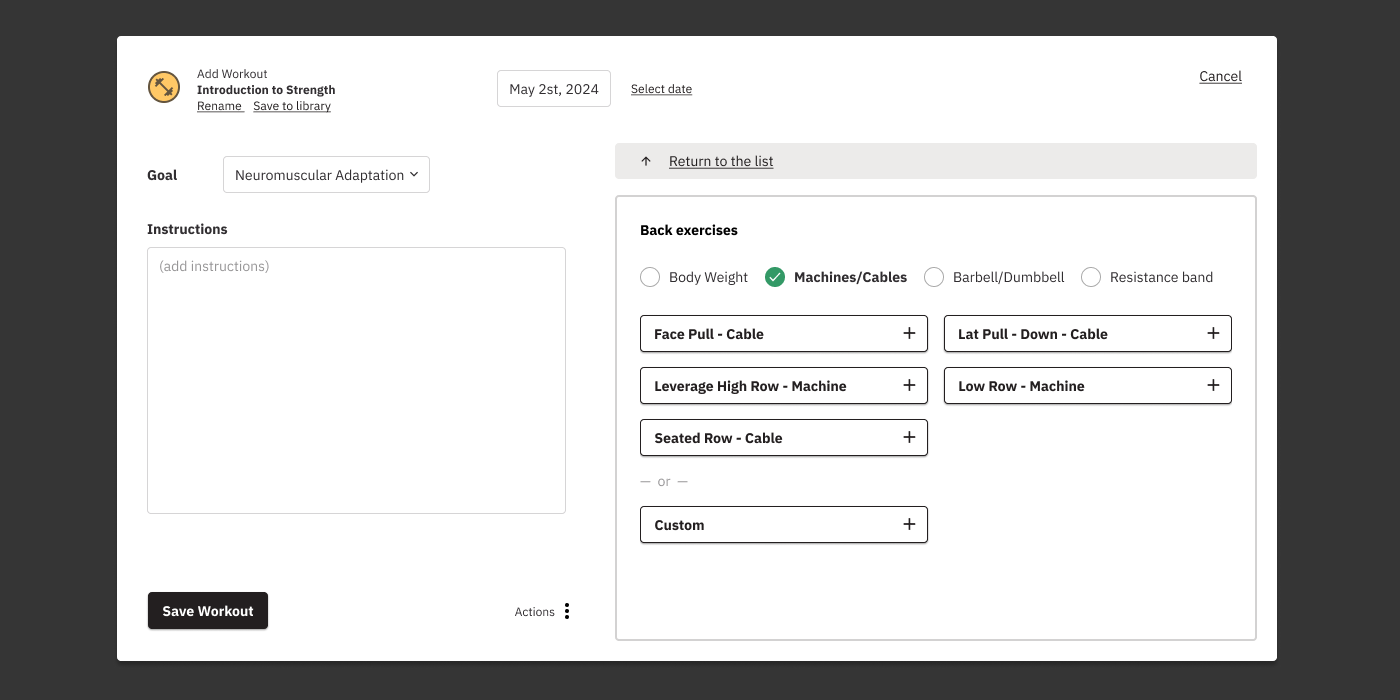
Strength library
Create & save your custom workouts from our vast library of strength exercises
Prebuilt workouts
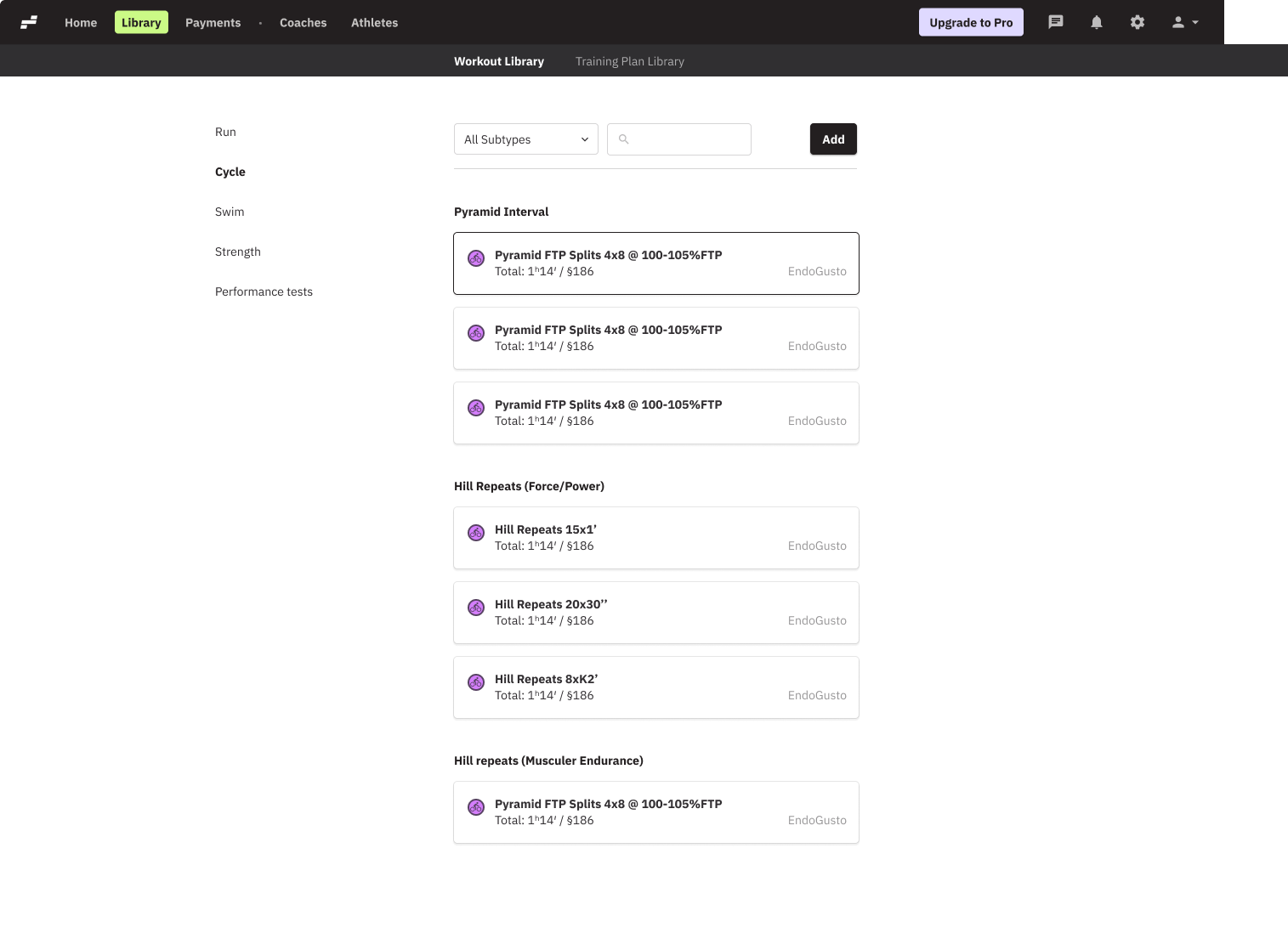
Access our extensive library of ready-to-use workouts and get started training your athletes from day one
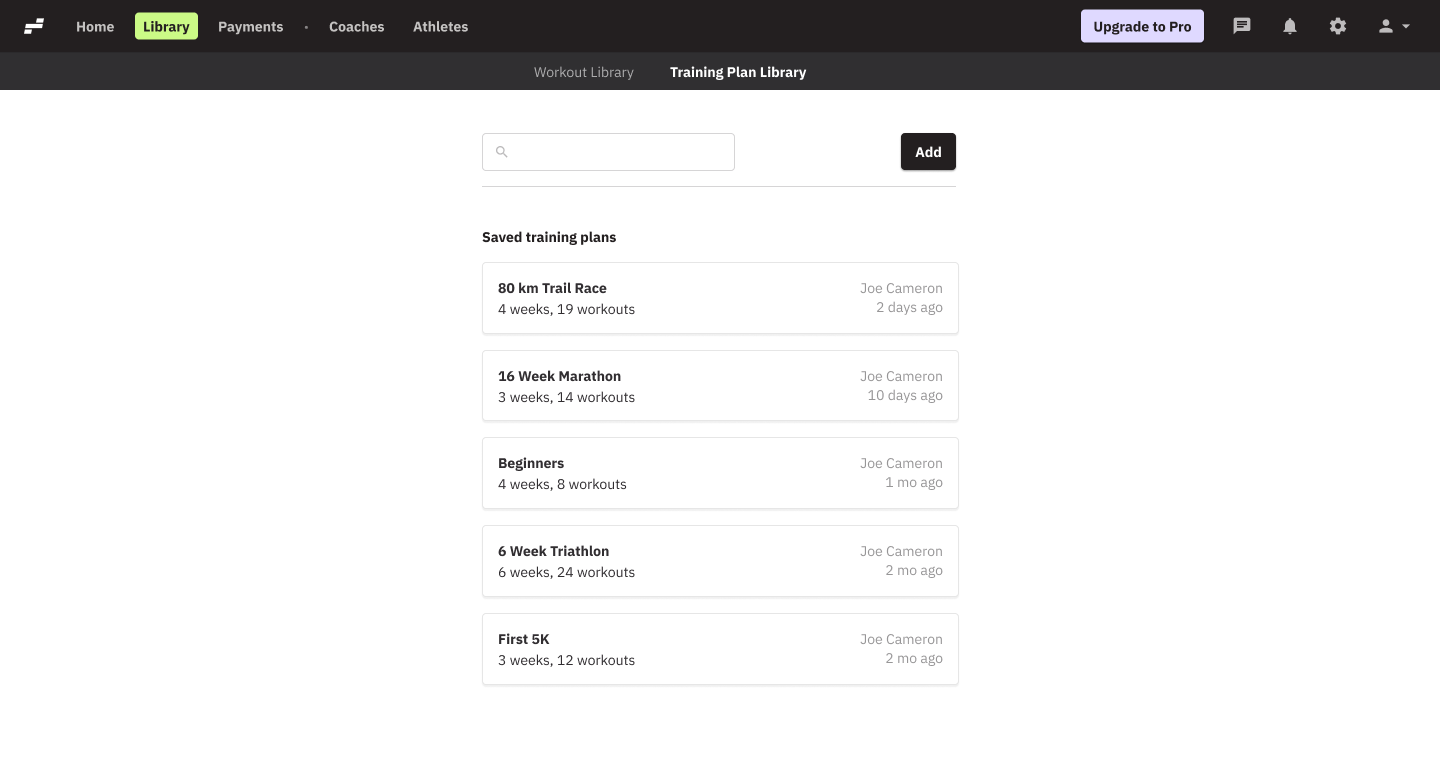
Training plan library
Create new training plans or save an existing block of training as a plan and apply to one or more athletes. Training parameters will automatically adjust accordingly.
Workout library
Create new or save existing custom workouts to your library and assign to athletes or use them to build complete training plans
Communication Hub
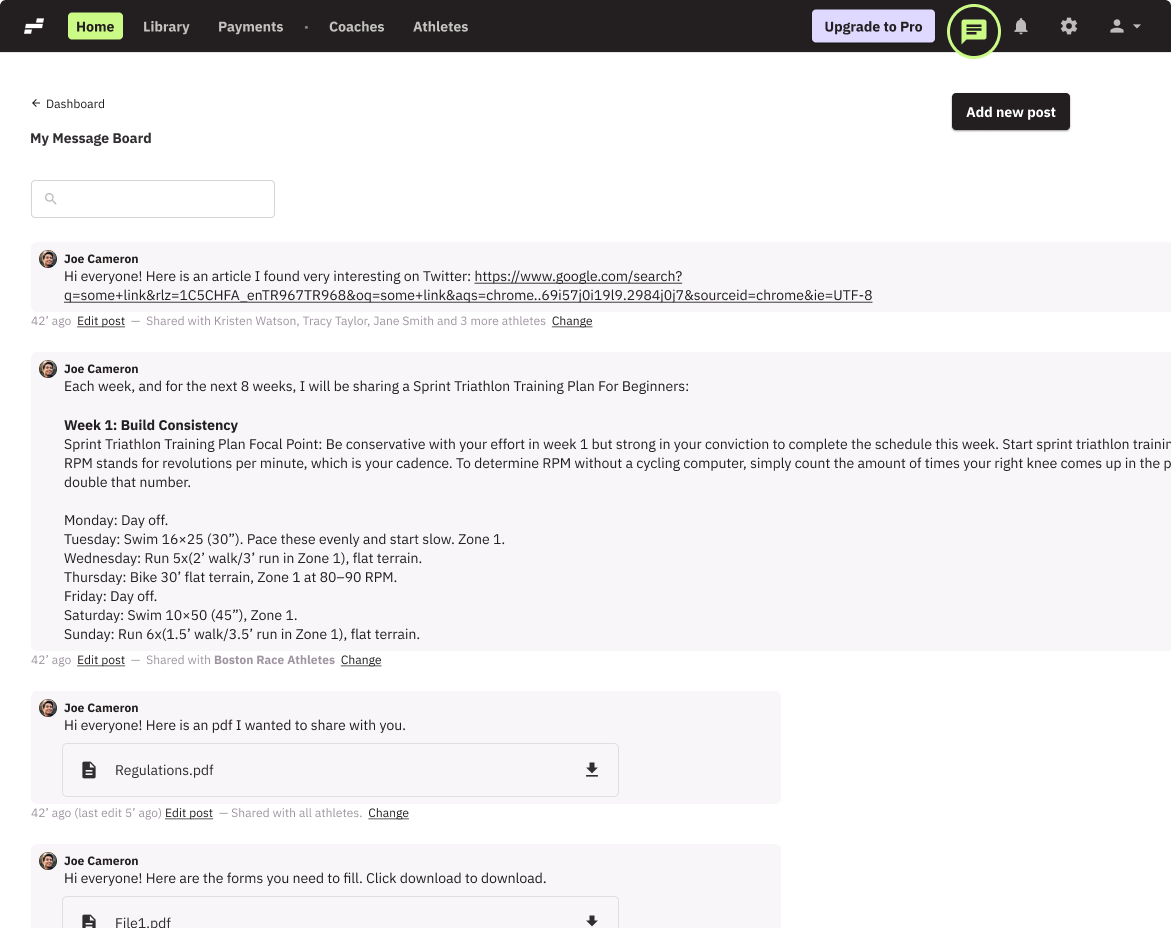
Message Board
Send messages, post announcements, insert links, upload images or other material, and communicate with athletes, lightning-fast!
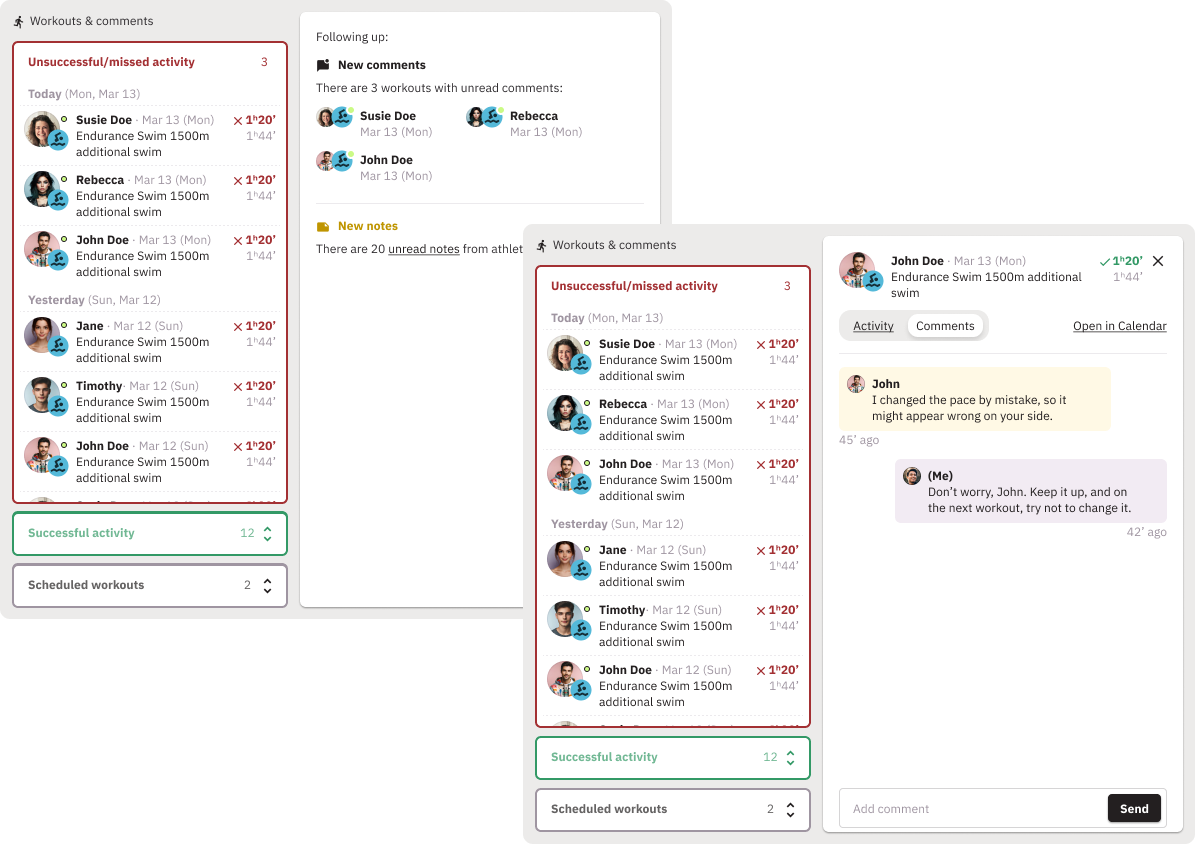
Workout Comments
Comment on an athlete’s training session to keep your athletes motivated
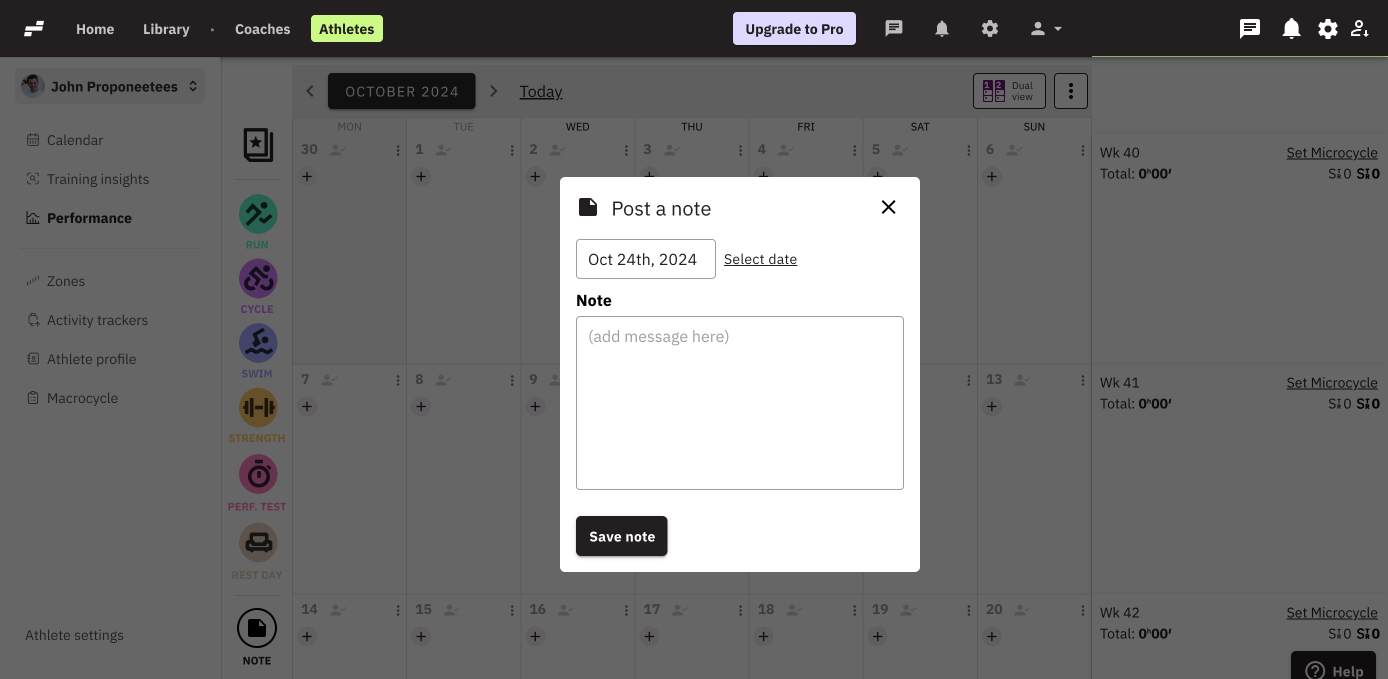
Calendar notes
Post notes to any day on the calendar to ping your athletes on things you want them to keep in mind
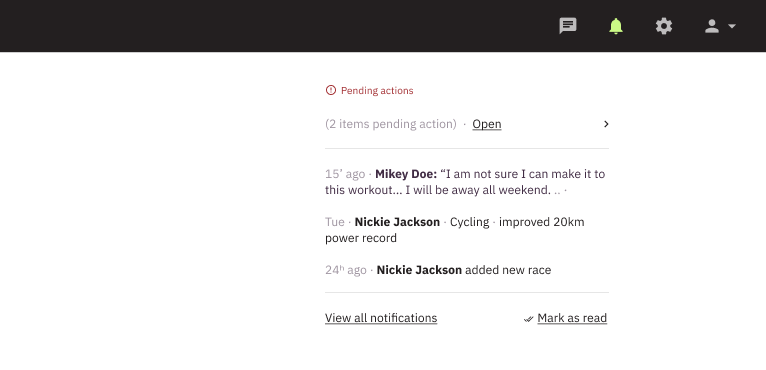
Notifications
Separate Notifications Dashboard for everything that matters, fully sorted and categorized. Choose which notifications to receive in-app and via email.
Let’s take your clients to the next level together.
Step Up Your Coaching Game
Detailed Athlete Calendar
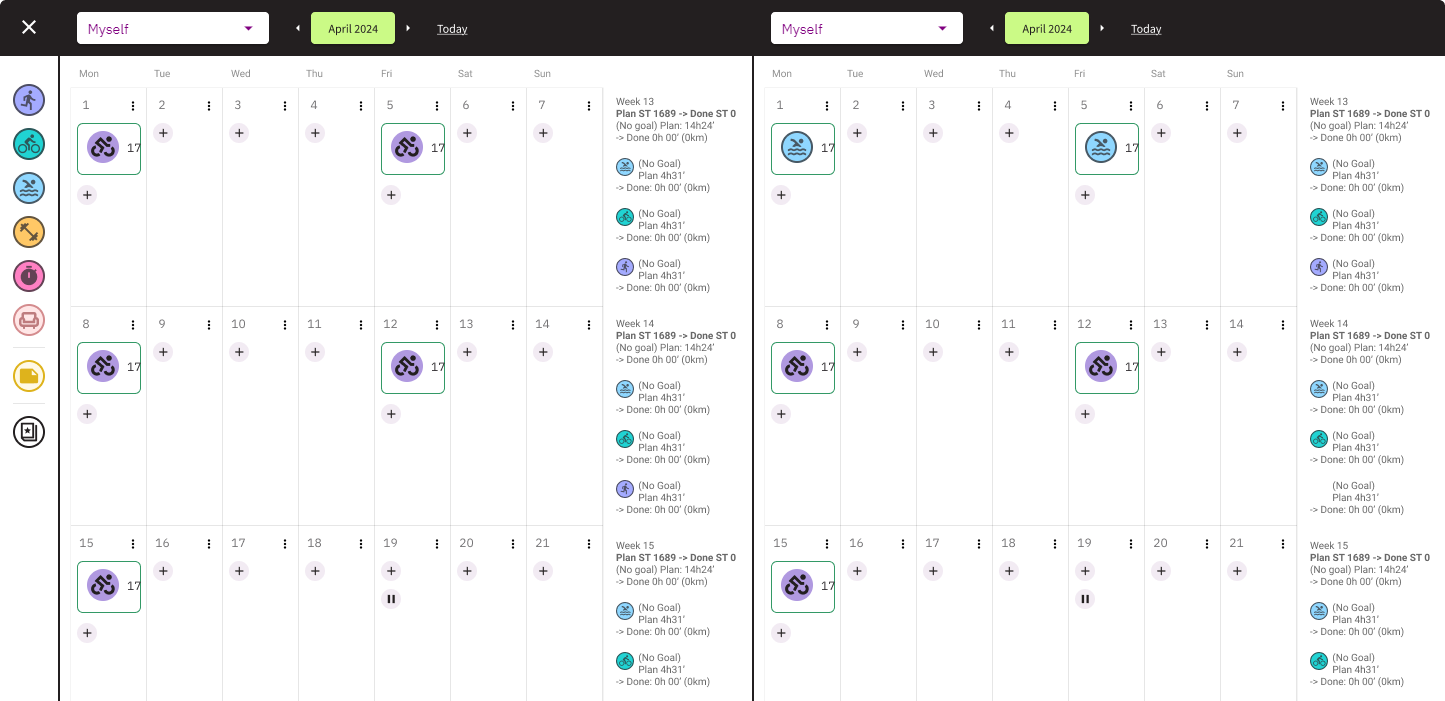
Dual Calendar
Use the Dual Calendar view to compare, copy and paste existing workouts from one athlete to another; all parameters will be automatically updated, according to their specific training zones!
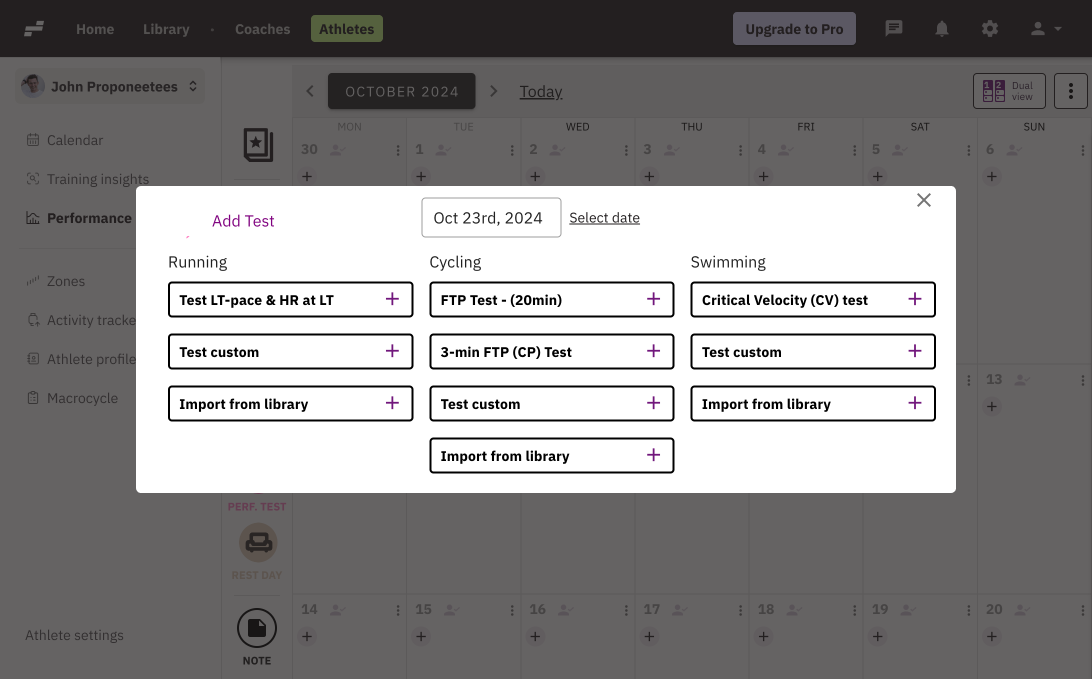
Create a Test Event
You can assign one of our fitness tests, or create your own, to evaluate every athlete’s physical condition before you design their training plan.
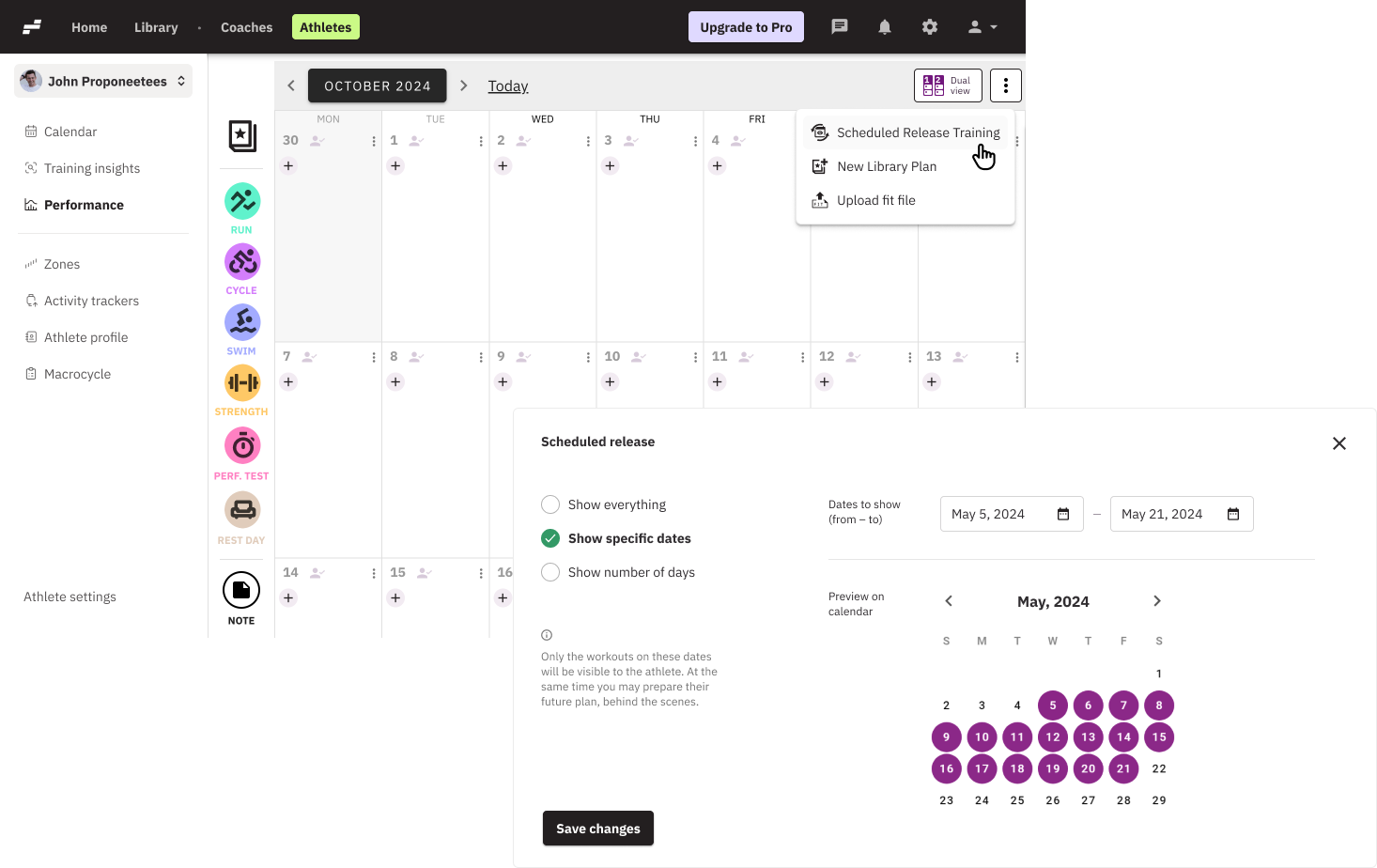
Scheduled Release Training
Design several weeks worth of workouts and gradually release them to athletes’ calendars in small batches. Retain control over any last minute changes or readjustments that might come up.
Athletes Management
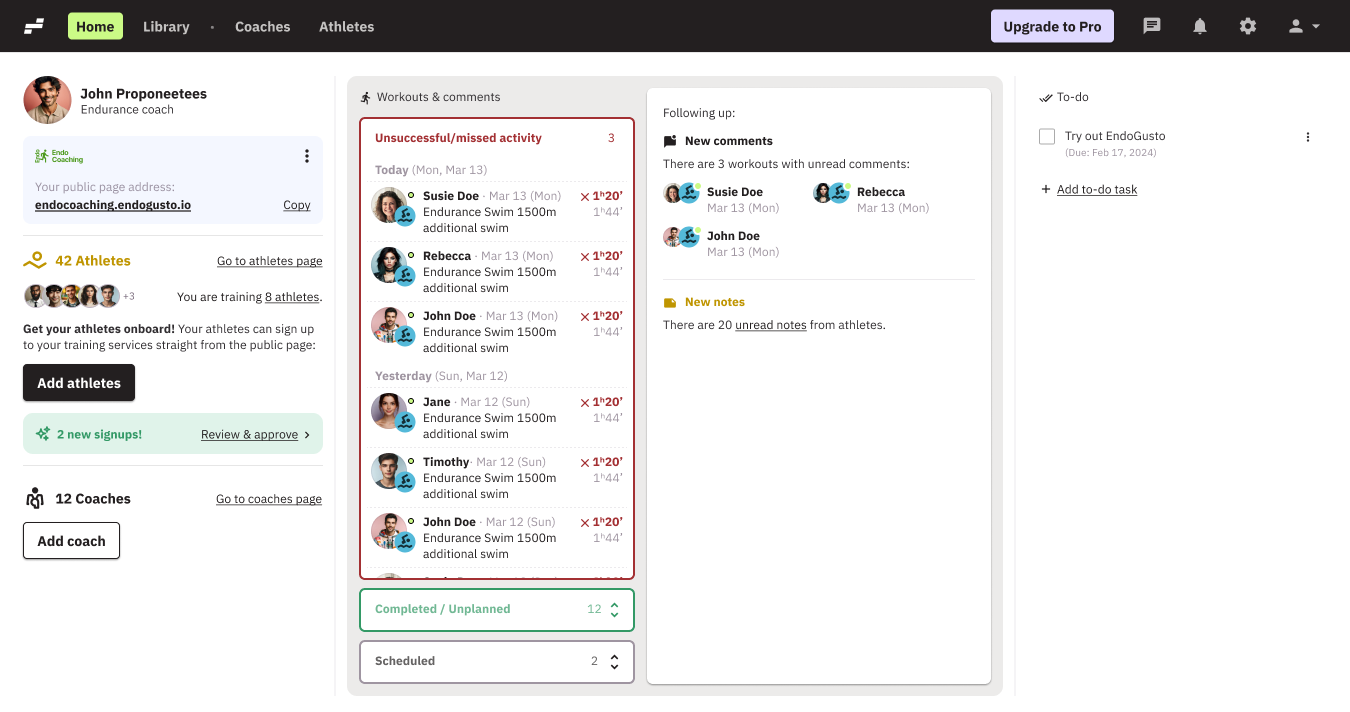
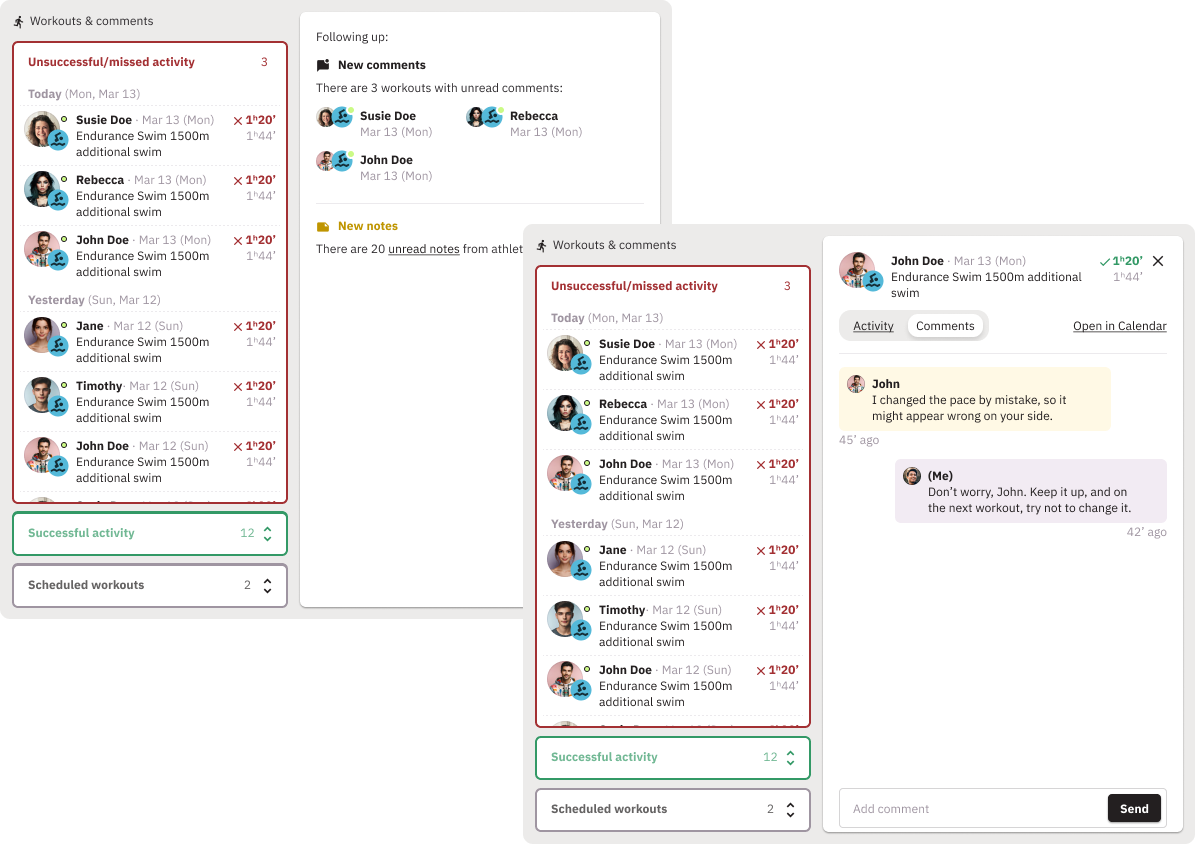
Detailed and efficient dashboard
Get a bird’s eye view of the latest athletes’ activity
Athlete Filtering
Filter and monitor your athletes, at a glance. Who missed a training session? Who veered off course?
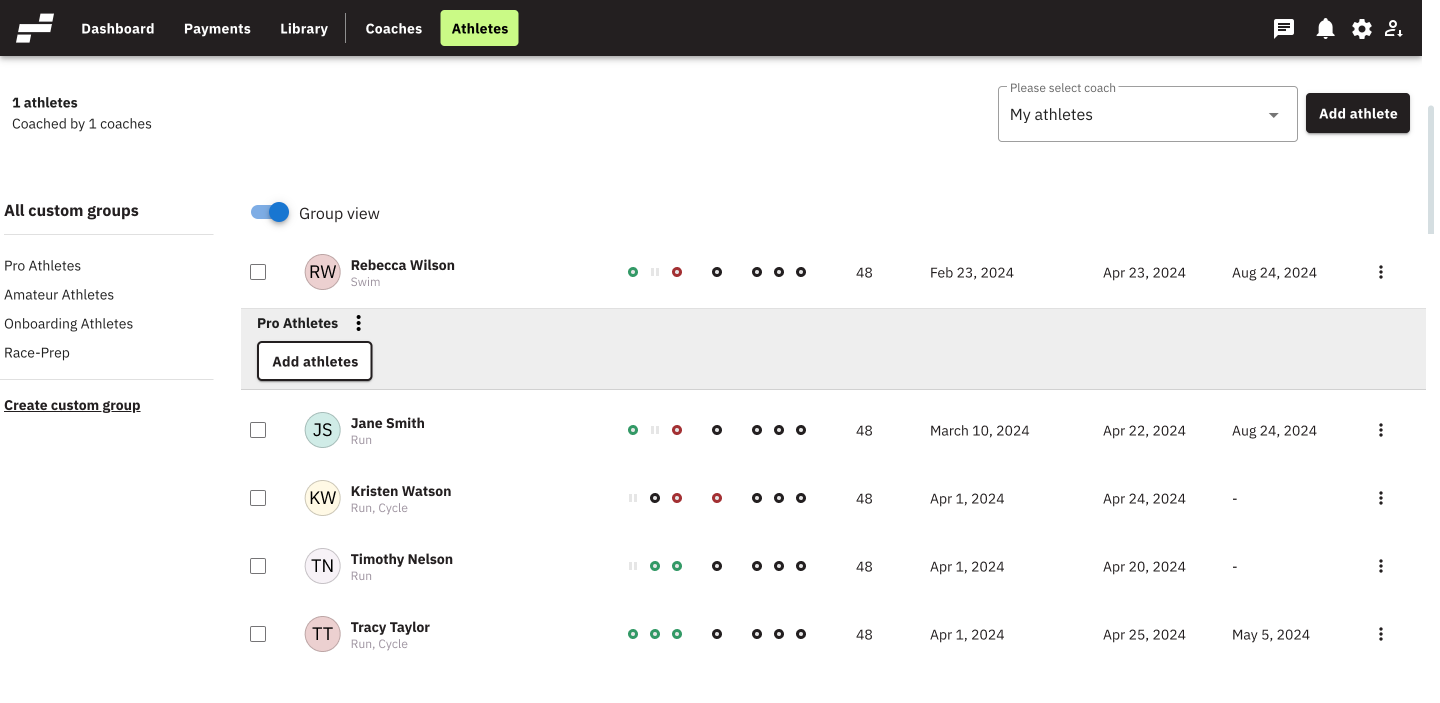
Athlete Grouping
Organize athletes into multiple custom groups, for better communication & management, and fast interaction, leveraging group motivation.
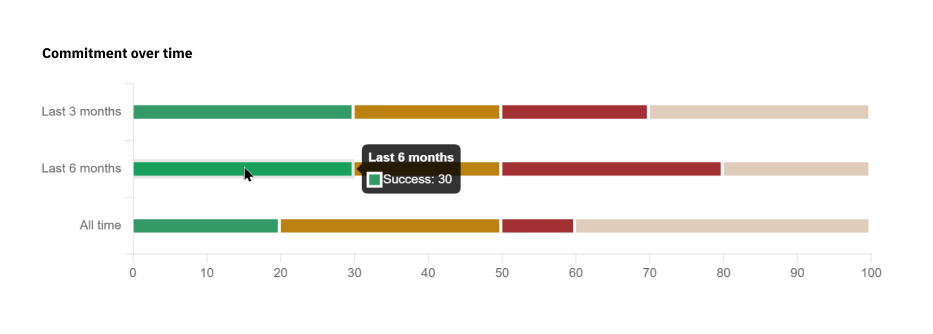
Track athlete commitment over time
Insights on each athlete’s commitment to the training plan (completed, partial, unplanned, not completed)
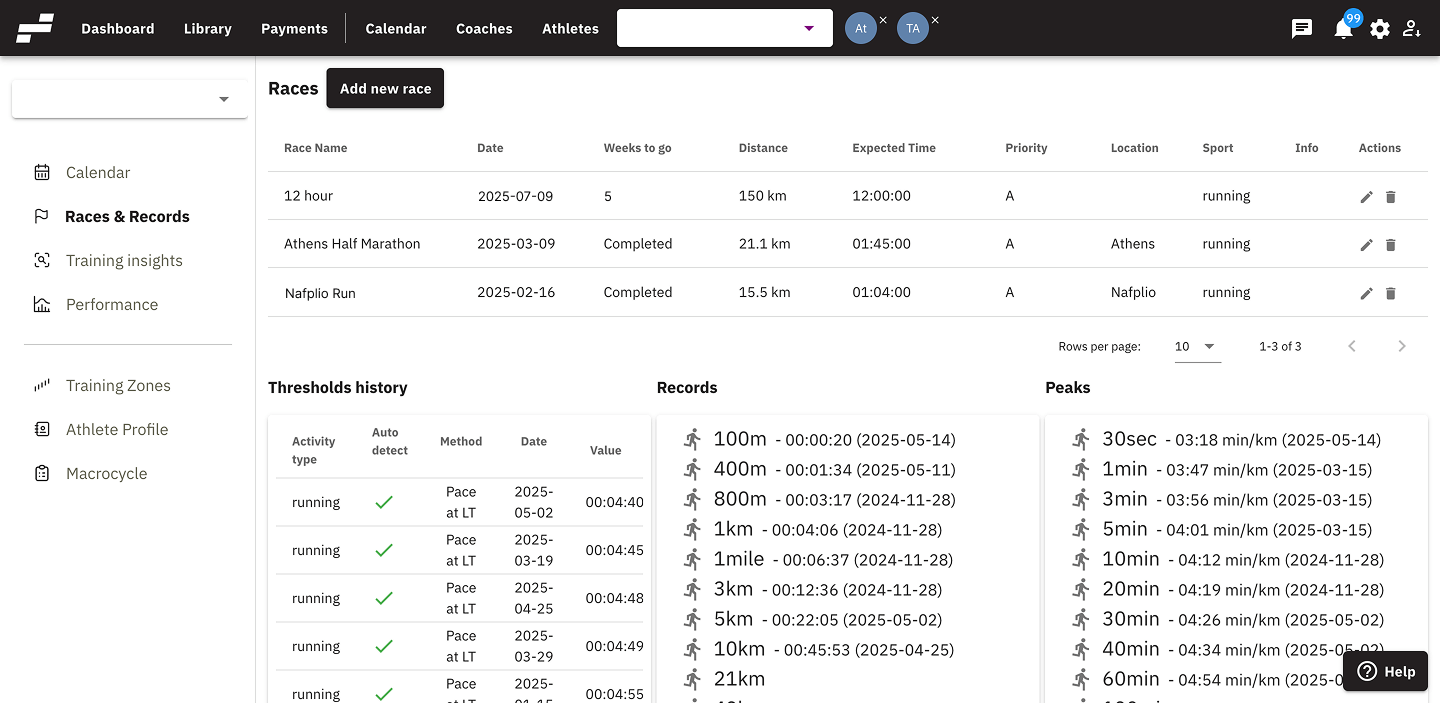
Races & Records
Keep track of athlete goals, records and threshold improvements (including historical data) on various distances and timeframes
Let’s take your clients to the next level together.
Step Up Your Coaching Game
Athlete functions
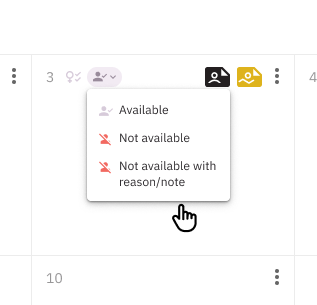
Athlete Availability
Athletes can set their availability as needed so coaches can work around life commitments for the most effective training results
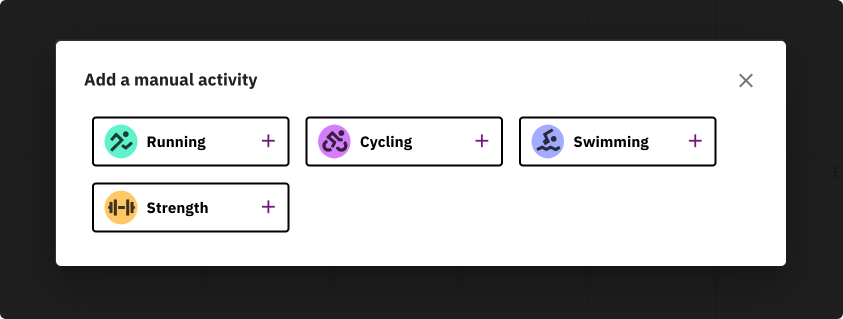
Manually add an activity
Athlete’s can manually add a workout when automatic workout tracking hasn’t been used
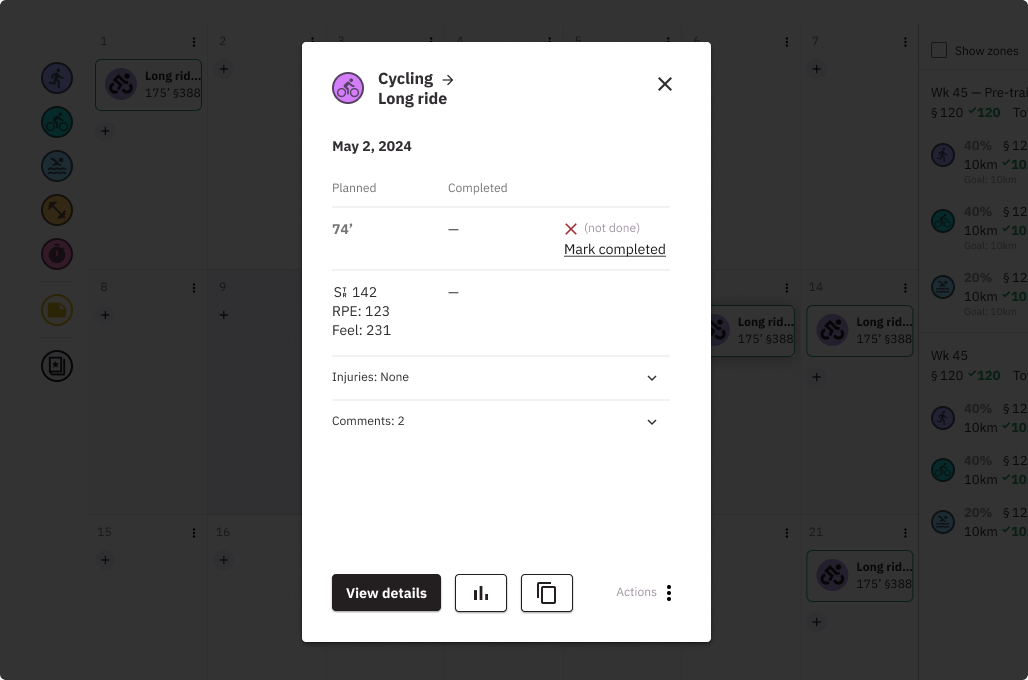
Mark workout as done
Athlete’s can mark workouts as done when activity tracking isn’t an option. This keeps the expected stress and FFF in line with the expected load.
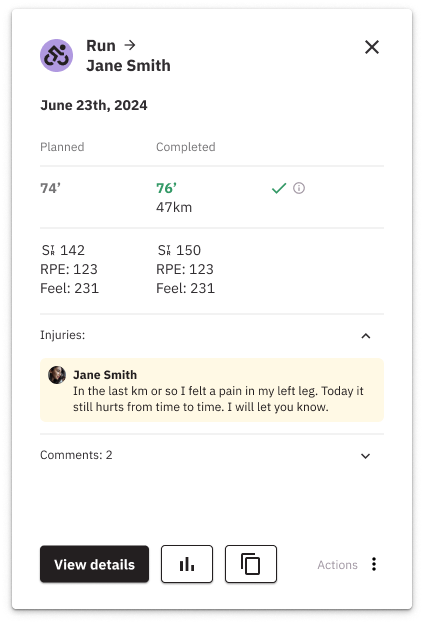
Injury box
You can find them under each workout, for an athlete to declare any injury they may have suffered during a session. Readjust their plan to compensate for their injury.
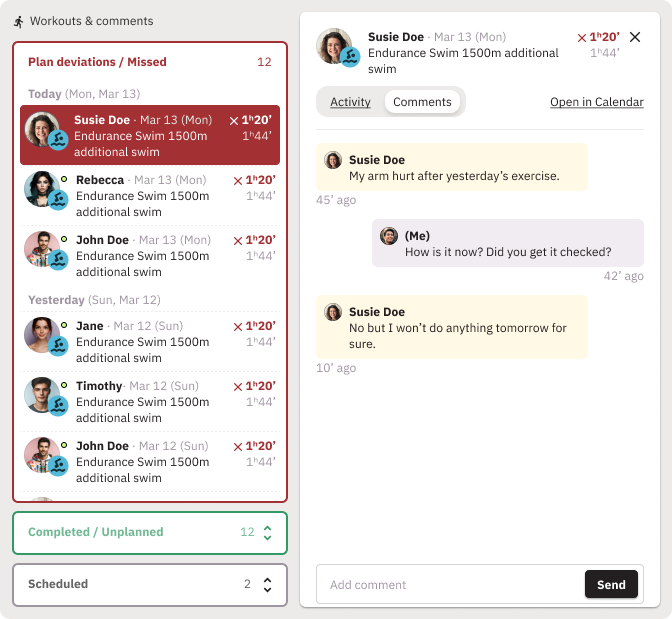
Activity comments
Athletes can give details about individual workouts through Activity Comments, and coaches can reply as necessary.
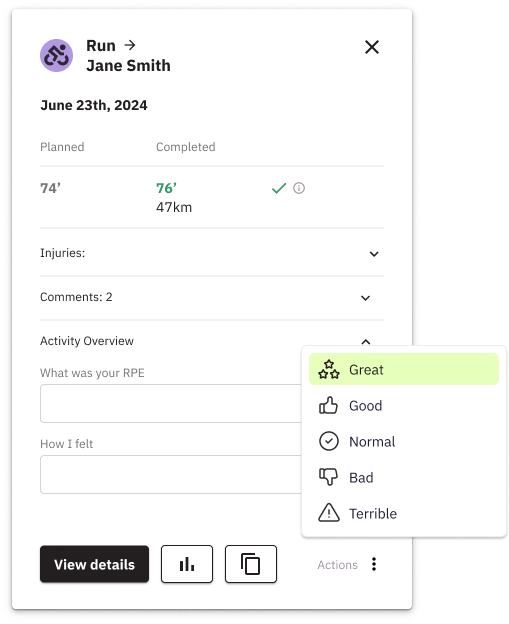
Rate of Perceived Exertion (RPE)
Athletes can use RPE and even emoticons (sad, happy, etc) to describe their workouts helping to see if the results are in line with what was expected.
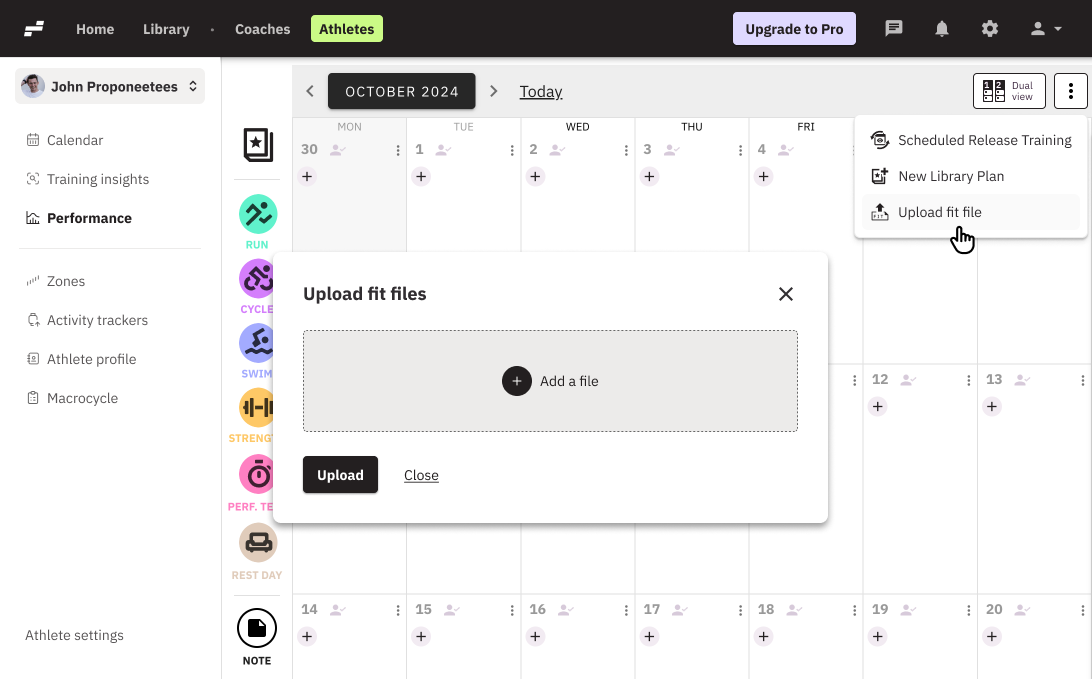
.FIT file upload
Athletes can upload single or multiple .FIT files to get a view of current and past trainings
- Compatible with Strava
- Integrations with Garmin, Polar, Suunto, Coros, Wahoo
Frequently Asked Questions
How does EndoGusto differ from TrainingPeaks or Final Surge?
EndoGusto is designed specifically for coaches, bringing together flexible tools for training plans, athlete tracking, and business management in one simple platform. It’s easier to use and more affordable than other platforms, and it’s backed by personalized one-on-one support for every coach and athlete.
Where can I book a demo or learn more about EndoGusto’s features?
You can request a live demo any time from our website or explore detailed feature guides in the Knowledge Base. Both options help you see how EndoGusto fits your coaching workflow.
How do I create and assign training plans to athletes?
You can create custom plans in the Training Plan Library, or from your athlete’s calendar, and reuse them for any athlete directly from your Library.
How can I monitor athlete performance and progress?
Track key performance metrics through the Performance and Training Insights pages, where you’ll see training load, fatigue, and fitness trends, and more.
Can I coach multiple athletes or groups simultaneously?
Yes — you can manage multiple athletes or groups efficiently from the Athlete Page.
How do I communicate with athletes?
You can leave Comments in a workout or post Notes on an athlete’s Calendar. You can also do group Announcements.
Which devices and apps integrate with EndoGusto?
EndoGusto connects with Garmin, Polar, Strava, Suunto, Coros and Wahoo, with other integrations coming soon.
Can I copy workouts between athletes?
Yes — you can copy workouts between athletes using the Dual Calendar view. Simply drag and drop workouts to duplicate them and save time when scheduling.
How can I copy an existing training plan to another athlete?
From the Library tab, select the plan, and choose Assign to.
How do I use and organize library assets in EndoGusto?
You can manage workouts and Training plans, from the Library tab.